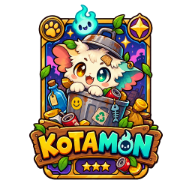
KOTAMON Wallpaper: Best Screenshot Ideas, Cropping Tips, and Safe Download Guide
Find the best KOTAMON wallpaper ideas from card art and dump-site scenes, plus practical crop, screen-size, and safe-download tips.
Why KOTAMON Works as a Wallpaper Subject
Searching for a KOTAMON wallpaper that feels like the game instead of a generic gaming background? The right KOTAMON wallpaper can turn its hand-drawn card art, colorful dump-site scenes, and collectible-hunt mood into a clean desktop or phone backdrop. This guide shows where to look, which scenes crop well, and how to prepare an image without presenting an unofficial edit as an official asset.
KOTAMON has more visual variety than its unusual garbage-collecting premise might suggest. The game combines first-person rummaging, bright trading cards, hidden treasures, repairable collectibles, and character scenes around the dump site. That gives you several distinct wallpaper styles: a detailed card close-up, a wide environmental scene, or a more story-focused image with characters and equipment.
The best background depends on how much visual information you want to keep visible. A card illustration can work well behind a phone clock, while a wide dump-site scene may be better suited to a monitor with desktop icons. Use the table below as a starting point.
| Visual direction | Game element it highlights | Wallpaper strength | Best starting screen |
|---|---|---|---|
| Card-focused | Hand-drawn illustrations, card condition, rare or foil-card details | Strong focal point and vivid color | Phone or laptop |
| Wide dump-site scene | Trash piles, first-person exploration, bag-carrying gameplay | Provides depth and environmental context | Desktop or ultrawide monitor |
| Workbench detail | Card inspection, repair, or collectible handling | Creates a close, tactile composition | Tablet or laptop |
| Yard and vending-machine scene | Outdoor setting, props, and gameplay atmosphere | Works well with an off-center subject | Desktop or lock screen |
| Character scene | Dialogue, figures, and the surrounding dump site | Adds story and personality | Wide desktop display |
A clean background should have one obvious subject. If every corner contains a card, prompt, character, or piece of equipment, desktop icons and phone widgets can become difficult to read. Look for an image with a calmer area on one side or near the top, then place your interface elements there.
What the Sources Confirm About KOTAMON Wallpaper Options
The official KOTAMON Steam listing is the best reference for confirming that an image belongs to this exact game. It identifies KOTAMON as a single-player indie simulation developed by KotaMota Games and published by Polnoch. The listing also presents a gameplay trailer and a screenshot gallery that show the game's card art, dump-site environments, and first-person presentation.
The supplied reference material does not identify a separately released official wallpaper pack, dedicated wallpaper resolutions, or a developer-provided desktop-background download. That distinction is important. A search result may show a Steam screenshot, a cropped fan image, or a gameplay thumbnail, but those formats should not automatically be described as official wallpaper files.
| Reference type | What it confirms | How to use it for a background |
|---|---|---|
| Official Steam listing | Game identity, developer, publisher, trailer, screenshot gallery, and core visual style | Use it as the canonical place to verify the scene and game |
| Playtester demo reference | Gameplay imagery involving upgrades, cards, trash piles, a workbench, a vending machine, and outdoor scenes | Use the described compositions as inspiration; demo imagery is not automatically a wallpaper pack |
| Community report / player experience | A short player-posted KOTAMON gameplay clip | Treat it as community coverage, not evidence of official image licensing or downloads |
For a personal background, start with an image that is clearly connected to KOTAMON and retain the original source information. If you plan to publish, sell, or redistribute an edited image, check the rights holder's terms first. Do not remove an artist credit or use a fan edit in a way that suggests developer endorsement.
A safer download checklist is simple:
- Prefer an image from the official game listing or a creator who clearly permits reuse.
- Use normal image formats such as PNG or JPG rather than installing an executable to obtain a background.
- Keep a copy of the original image before cropping or adjusting it.
- Credit the game and image creator when sharing an edited version.
- Treat “official wallpaper” labels cautiously unless the developer or publisher provides them.
Best KOTAMON Wallpaper Concepts
A strong KOTAMON wallpaper should communicate the game's identity at a glance. The most recognizable choices are likely to be collectible-card details and scenes that show the unusual contrast between searching through discarded objects and finding valuable treasures.
The scores below are editorial recommendations based on composition and flexibility, not player ratings or official rankings.
| Rank | Wallpaper concept | Editorial fit | Best use | Main cropping risk |
|---|---|---|---|---|
| 1 | Rare card or foil-card close-up | 5/5 | Phone lock screen, laptop | Important card borders or text may be cut off |
| 2 | First-person search through a trash pile | 5/5 | Standard desktop | HUD elements may compete with desktop icons |
| 3 | Card inspection at the workbench | 4/5 | Tablet, laptop, desktop | Close tools or hands can become awkward at narrow ratios |
| 4 | Vending-machine or yard scene | 4/5 | Desktop, phone home screen | Tall props may be clipped on short displays |
| 5 | Character dialogue near the dump site | 4/5 | Wide monitor | Faces and dialogue areas need careful positioning |
1. Card close-up
Card art is the most direct visual link to KOTAMON's collecting system. The game features unique illustrated cards, color-based sets, damaged cards, and the possibility of finding rare foil cards in unopened cereal boxes. A close-up background can preserve those details better than a wide gameplay shot.
For a phone, place the card's main illustration slightly below the center so the clock does not cover it. For a desktop, leave one side relatively quiet for icons. Avoid cropping through the card border, name, or any visible condition information.
2. Dump-site exploration
A wide rummaging scene communicates the game's unusual setting immediately. Trash piles, a carried bag, and the first-person viewpoint can make a desktop background feel connected to actual gameplay rather than promotional artwork.
This concept works particularly well on a 16:9 or 21:9 display. Keep the main pile, object, or interaction point inside the central area, and check whether the game's interface remains readable after the crop. If the HUD is too busy, crop toward the environment while preserving enough context to make the scene recognizable.
3. Workbench and repair imagery
The reference material shows card inspection and a workbench interaction involving a tool. That kind of scene makes a good detail-oriented background because it tells a small story: the collectible was found, examined, and possibly improved.
Use this layout for a laptop or tablet where the viewer is close to the screen. Keep the card and tool visible, but avoid placing the most important detail directly beneath system widgets. A modest brightness adjustment can help the image remain comfortable during long sessions.
4. Yard, vending machine, and character scenes
Outdoor scenes with a vending machine, nearby structures, or characters provide more visual variety than a single object. They are useful when you want a wallpaper that feels atmospheric without relying only on the game's logo or card illustrations.
These compositions often work best with an off-center focal point. Put the vending machine or character group on one third of the frame, leaving the opposite side less crowded. That space can accommodate desktop icons, a clock, or widgets.
How to Prepare a KOTAMON Wallpaper
Creating a polished KOTAMON wallpaper is mostly a framing exercise. The original image does not need elaborate effects; it needs the correct aspect ratio, a clear focal point, and enough empty space for the interface of the device.
| Step | Action | Practical check |
|---|---|---|
| 1 | Choose the largest legitimate image available | Details remain sharp when viewed full screen |
| 2 | Duplicate the original before editing | You can return to the uncropped composition |
| 3 | Set the target aspect ratio first | The image is not stretched to fill the screen |
| 4 | Position the focal point away from clocks and icons | The card, character, or gameplay action stays visible |
| 5 | Adjust brightness and contrast modestly | The background does not overpower text |
| 6 | Export a final PNG or JPG and test it on the device | Edges, widgets, and icons remain readable |
Do not stretch a landscape screenshot into a vertical phone background. Stretching changes the proportions of cards, characters, and equipment, making the image look distorted. Crop the sides instead, or choose a closer card image that naturally suits a taller screen.
A useful desktop example is a wide trash-pile scene with the interaction point near the center and lower-detail space in the upper corners. A useful phone example is a card close-up with the illustration below the clock area. These choices preserve the subject while reducing overlap with operating-system controls.
Before finalizing an image, run three quick tests:
- Icon test: Place it behind your normal desktop icons and check whether filenames remain readable.
- Lock-screen test: Add the device clock and notifications, then confirm they do not cover the card or a character's face.
- Edge test: Inspect every edge for clipped borders, missing hands, half-visible text, or stretched objects.
Keep color adjustments restrained. KOTAMON's visual identity already includes colorful card art and playful environments, so aggressive saturation can make small details bleed together. Slightly lowering highlights or adding a subtle overall contrast adjustment is usually more useful than applying a dramatic filter.
Choosing a KOTAMON Wallpaper for Your Device
One image rarely works perfectly on every screen. Match the scene to the shape of the display before spending time on fine adjustments. The ratios below are starting points rather than fixed requirements; the actual screen dimensions should always take priority.
| Device | Common starting ratio | Recommended KOTAMON subject | Composition advice |
|---|---|---|---|
| Standard desktop | 16:9 | Wide dump-site search or character scene | Keep the main action central and leave one quiet side |
| Ultrawide monitor | 21:9 | Environmental scene or extended yard view | Avoid placing the focal point too close to an edge |
| Laptop | 16:10 | Workbench, card inspection, or medium-wide scene | Preserve extra vertical space around the subject |
| Phone | 9:16 | Card close-up or tall prop such as a vending machine | Keep the important detail below the clock area |
| Tablet | 4:3 | Workbench or character composition | Use a balanced crop with visible surrounding context |
For a phone home screen, a card-focused KOTAMON wallpaper is usually the easiest option because the subject remains identifiable after a narrow crop. For a desktop, the dump site offers more room for negative space and wider composition. For a tablet, a workbench image can provide enough detail without requiring an extreme crop.
If a source image does not fit your screen cleanly, choose a different scene rather than forcing it. A well-cropped card close-up will look more intentional than a squeezed panoramic screenshot. Similarly, a wide environmental image is usually a better desktop choice than a portrait crop that cuts away the setting.
The most reliable approach is to create separate versions for desktop, phone, and tablet. Give each version its own crop, focal point, and safe area. That small amount of extra work produces a more useful result than using one oversized image everywhere.
FAQ: KOTAMON Wallpaper Questions
Is there an official KOTAMON wallpaper pack?
The provided official reference confirms a Steam screenshot gallery and gameplay trailer, but it does not identify a separate downloadable wallpaper pack. Check the official KOTAMON listing for any future developer-provided art or wallpaper updates, and avoid calling fan-made crops official.
Which KOTAMON wallpaper works best on a phone?
A card close-up is the most adaptable choice for a phone because it can survive a 9:16 crop while keeping one clear focal point. Position the illustration below the clock and avoid cutting through the card border or important text.
Can I use a Steam screenshot as a KOTAMON wallpaper?
You can technically set a saved image as a personal device background, but the reference material does not grant redistribution or commercial-use rights. For public posts, fan projects, or paid products, verify permission and credit the appropriate rights holder.
What size should a KOTAMON wallpaper be?
Use the largest legitimate image available and crop it to your device's native aspect ratio. The supplied references do not specify an official wallpaper resolution, so avoid stretching a screenshot and test the final image with your actual icons, clock, and widgets.
Related Guides
KOTAMON all art guide: Every confirmed card detail and how to find rare designs
KOTAMON all art guide covering confirmed card designs, color sets, foil finds, card condition, collection tips, and catalog limits.
KOTAMON Art Guide: How Hand-Drawn Cards, Condition, and Sets Shape Collecting
Explore KOTAMON art, hand-drawn cards, foil finds, card condition, color sets, and practical collecting tips from official game details.
KOTAMON Artist: What Is Known About the Game's Art
Looking for the KOTAMON artist? Learn what the public game listing confirms about KotaMota Games, the art attribution, and how to verify individual credits.
KOTAMON Card Art Guide: Rarities, Conditions, Collecting Tips, and Examples
Explore KOTAMON card art, from hand-drawn illustrations and foil finds to rarity, condition, collection rewards, and practical search tips.